No products in the basket.
How to Connect Your VIOFO Dash Cam to the App (and What to Do If It Won’t Connect)
15 April 2025

The VIOFO app lets you watch a live view, change settings and download clips straight to your phone, but only once your phone and dash cam are talking to each other. Here’s how to get connected in a couple of minutes, and what to check if it just won’t link up.
How to connect the VIOFO app
1. Long-press the Wi-Fi button on the camera to switch its Wi-Fi on.
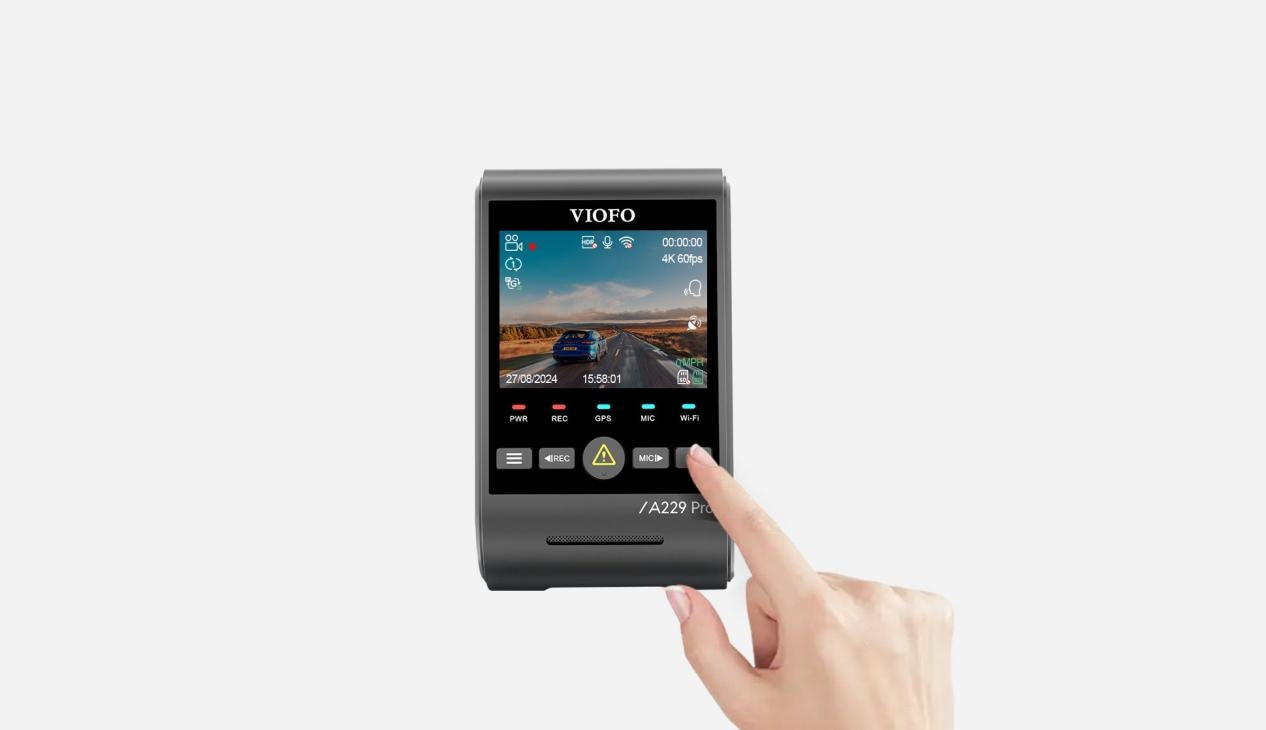
2. Once Wi-Fi is on, the network name (SSID) and password appear on the camera screen. The default password is 12345678.

3. Open your phone’s Wi-Fi settings, pick the dash cam’s network and enter the password.

4. When your phone is connected to the dash cam, open the VIOFO app and tap Connect Camera to control the dash cam from your phone.

5. You should now see the camera’s live view.

Prefer to watch it done? See VIOFO’s video guides: How to connect the Wi-Fi and using the VIOFO app.
What to do if the connection fails
First, make sure both your dash cam firmware and the VIOFO app are on the latest versions. You can find firmware on VIOFO’s firmware page. Then work through these checks:
Connect to the dash cam’s Wi-Fi before opening the app
Join the dash cam’s Wi-Fi in your phone’s settings first, then open the VIOFO app. If you do it the other way round, the app may not work properly.
Turn on Local Network access (iPhone)
On an iPhone, go to Settings, find the VIOFO app and switch on Local Network.

Turn off your VPN and any antivirus app
These can block the connection to the dash cam. Here’s a quick video on turning off a VPN.
Switch off Bluetooth to stop Apple CarPlay or Android Auto taking over
If your phone’s Bluetooth is on, Apple CarPlay or Android Auto may connect automatically and interrupt the link between your phone and the dash cam.
Try airplane mode
Turn on airplane mode on your phone, then switch Wi-Fi back on and reconnect to the dash cam.
Reinstall the VIOFO app
Delete the app, reinstall it from your app store and try again.
Restart your phone, or try another one
A quick reboot often clears the problem. If it still won’t connect, try a different phone to see whether the issue is with the handset.