No products in the basket.
VIOFO Geofencing: Let Your Dash Cam Know When You’re Home
28 September 2026
Picture this: you pull onto your drive for the night, but your dash cam carries on recording in parking mode until morning.
The result? A slowly draining battery, hours of footage you don’t need, and a camera working away when there’s no real need for it. Worse still, the only fix is remembering to change settings yourself. What if your dash cam just knew when to stand down?
With VIOFO’s geofencing feature, it does. Here’s what geofencing is, how it works on VIOFO dash cams, and why it makes parking mode so much smarter.
What is geofencing?
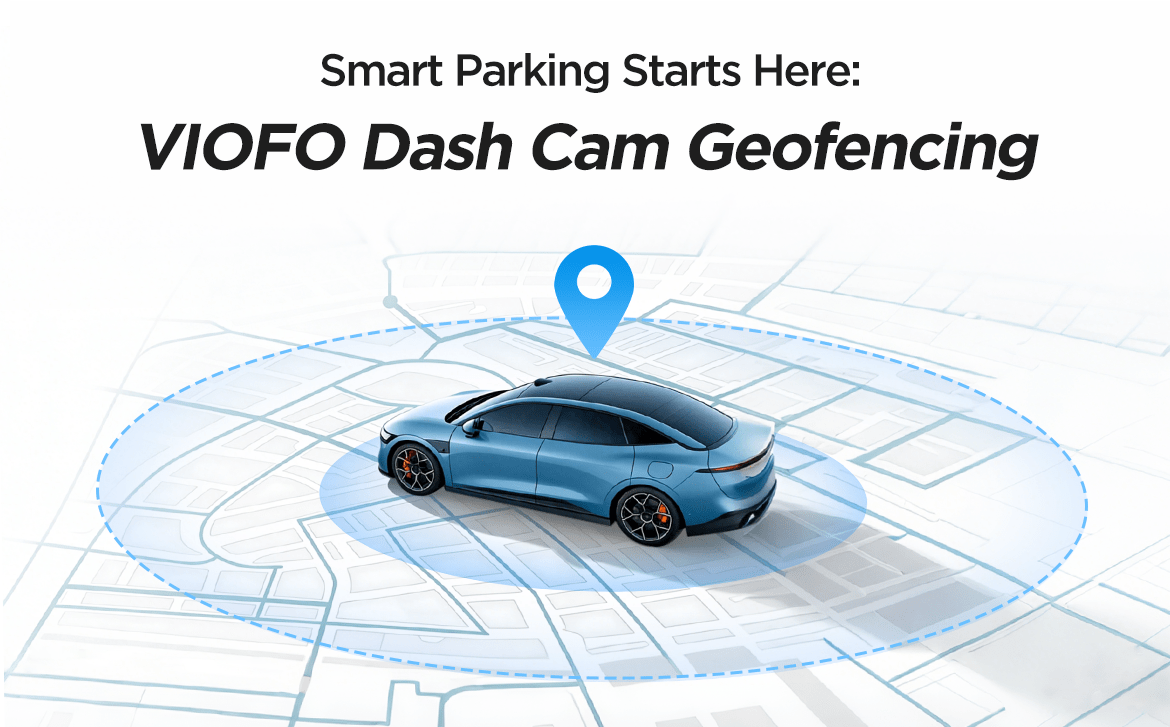
Think of geofencing as a location-based parking zone for your car. It uses GPS to draw a virtual boundary around places you trust, such as your home driveway, garage or work car park.
When you park inside one of these zones, a compatible VIOFO dash cam powers off completely (or, on supported models, switches to Low Power Impact Recording) instead of entering standard parking mode. Park anywhere else and normal parking mode kicks in as usual.
Whether you want to save battery, free up storage or simply make life easier, geofencing helps your dash cam work smarter.
How does geofencing work?
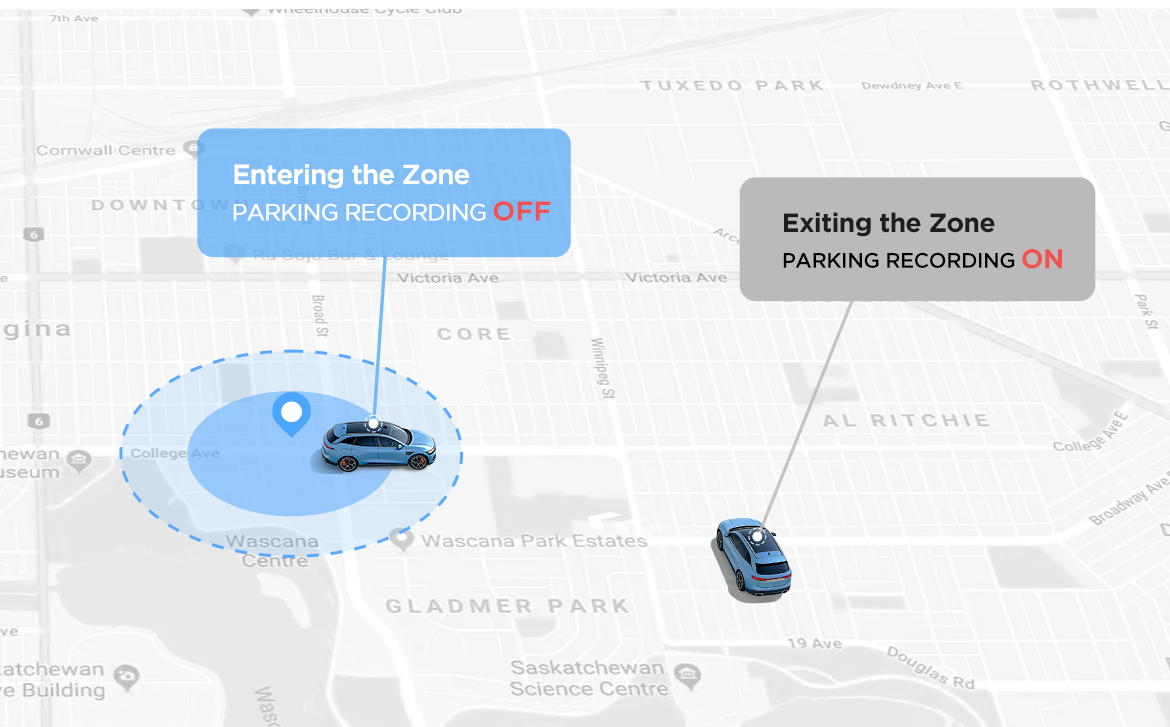
Normally, a hardwired dash cam goes into parking mode every time you switch off the engine. Geofencing sets a virtual perimeter around your safe zones using GPS coordinates, and when the camera recognises it’s parked inside one, it changes its parking behaviour.
Here’s what happens each time you park:
- GPS detection: the dash cam uses its built-in GPS to work out where the car is.
- Zone recognition: when you switch off the ignition, the camera checks whether you’re inside one of your saved safe zones.
- Smart mode switching: inside a safe zone, the dash cam powers off completely to minimise battery drain. On supported models you can choose Low Power Impact Recording instead, which keeps impact detection active while using very little power. No more changing settings every time you park.
- Fail-safe: if the camera can’t get a reliable GPS fix when the car enters parking mode, geofencing may not activate and the dash cam simply uses its normal parking mode setting.

Why does geofencing matter?
Truly hands-free
Once it’s set up, geofencing works quietly in the background. No more changing settings, unplugging cables or remembering to switch the camera off when you get home. The dash cam recognises when you’re in a safe zone and handles it for you.
Look after your car battery
Even with low-voltage protection, standard parking mode keeps drawing power until the cut-off is reached. With geofencing, your dash cam powers off (or switches to Low Power Impact Recording on supported models) in trusted places, cutting unnecessary drain during long stays.
Save storage space
Garage doors, moving shadows, cats and other everyday movement can trigger plenty of pointless parking clips. Geofencing avoids these at trusted locations, leaving more space for footage that matters.
Flexible protection, less unnecessary recording
Fewer pointless recordings mean fewer write cycles on your memory card and less running time when parking surveillance isn’t needed. And on supported models you can choose between powering off completely or keeping Low Power Impact Recording on.

How to set up geofencing
Before you start, a couple of practical points:
- GPS accuracy can suffer in deep underground car parks or areas with heavy signal interference.
- The camera needs a solid GPS signal before you switch the engine off so it can recognise the safe zone correctly.
Compatible models and differences
Geofencing is available on selected VIOFO models, with some differences between them:
- T340 Series, T330 Series, A329S Series and A149 Pro Duo: support both Power Off and Low Power Impact Recording inside geofenced zones.
- A329, A229 Ultra Series, A229 Pro Series, A229 Plus Series and A119M Pro: support Power Off only inside geofenced zones.
Set-up steps
You can set up safe zones in the dash cam menu (on models with a screen) or in the VIOFO Dashcam App.
- Step 1: update firmware and app. Make sure your dash cam firmware and the VIOFO Dashcam App are up to date. You can check the latest versions on VIOFO’s firmware page.
- Step 2: find the setting. Open Parking Recording, then GeoFencing, in the dash cam menu or the app, depending on your model.
- Step 3: set your zone and action. Save your current location as Zone 1, Zone 2 or Zone 3. On T340 Series, T330 Series, A329S Series and A149 Pro Duo, choose Power Off or Low Power Impact Recording; on other supported models, enable automatic Power Off inside the zone.
- Step 4: adjust the radius. Pick a geofence radius that suits where you park.
Dash cam menu set-up:

VIOFO Dashcam App set-up:

Top tip: wait until the dash cam confirms a stable GPS connection before saving a zone, then test it a few times to make sure it behaves as you expect.
FAQs
Will geofencing affect normal driving recording? No. It only changes what happens in parking mode after you switch the car off.
Which models support Low Power Impact Recording inside a geofenced zone? Currently the T340 Series, T330 Series, A329S Series and A149 Pro Duo. Other supported models (A329, A229 Ultra, A229 Pro, A229 Plus and A119M Pro) power off completely inside a safe zone.
How many safe zones can I save? Up to three (Zone 1, Zone 2 and Zone 3). Popular choices are home, the work car park, or a family member’s or friend’s house you visit often.
Does geofencing work without a hardwire kit? Geofencing controls parking behaviour, so it needs a parking mode power set-up such as a hardwire kit or a supported VIOFO battery pack. If your dash cam only runs from the 12V socket, it already switches off with the engine, so you don’t need geofencing.
What if the GPS signal is weak when I park, for example in an underground car park? If the camera can’t get a reliable GPS fix when it enters parking mode, geofencing may not activate and the dash cam will use its normal parking mode setting.
Can I edit or delete a saved zone? Yes. Go to Parking Recording, then GeoFencing, and select the zone you want to change. You can adjust the radius at any time.
Does my older A119, A129 or A139 support geofencing? No. Geofencing is only available on selected models with compatible GPS hardware and firmware: the T340 Series, T330 Series, A149 Pro Duo, A329S Series, A329, A229 Ultra Series, A229 Pro Series, A229 Plus Series and A119M Pro.
Final thoughts
Geofencing is a really useful addition to VIOFO’s parking protection. Whether your camera powers off completely or switches to Low Power Impact Recording, it cuts unnecessary battery use and storage while making parking mode far more convenient.
Spend less time worrying about a flat battery or a card full of pointless parking footage, and let your dash cam make the smart call for you.