Viofo UK Logo
  • Viofo UK Logo
  • View All Dashcams
    Dashcam Finder
    T330 1CH – Front 4K

    A compact, discreet, screenless front camera with 4k recording.

    NEW RANGE
    A149 Pro 1CH – Front 4K

    1-channel dash cam with 4K front recording. Built-in GPS.

    Save 17%
    A329S - 1 CH - 4K+GPS

    1-channel dash cam with 4K front recording. Built-in GPS.

    Save £20
    A119v3 with GPS 2K

    1-channel dash cam with 2K front recording. Built-in GPS.

    Save £10
    A119 Mini Pro. 1 CH 4K

    1-channel dash cam with 4K front recording. Built-in GPS.

    Save £20
    A119 Mini 2 1 CH 2K

    1-channel dash cam with 2K front recording. Built-in GPS.

    Save £20
    VS1 . 1CH 2K

    1-channel dash cam with 2K front recording. Built-in GPS.

    Save 15%
    A229 Pro. 1CH 4K

    1-channel dash cam with 4K front recording. Built-in GPS.

    Save £20
    T330 2CH – Front 4K + Rear 2K

    2-channel dash cam with 4K front recording plus 2K rear. Built-in GPS.

    NEW RANGE
    A149 Pro 2CH 4K front + 1080P rear, Sony STARVIS 2 sensor

    2-channel dash cam with 4K front recording plus 1080P rear. Built-in GPS.

    Save £40
    A329S 2CH - Front 4K+ Rear 2K +GPS

    2-channel dash cam with 4K front recording plus 2K rear. Built-in GPS.

    Save £30
    A129 Pro Duo Ultra 4K Front + Full 1080P Rear

    2-channel dash cam with 4K front recording plus 1080P rear. Built-in GPS.

    DISCONTINUED

    Save £26
    A229 Pro Duo. 2 CH Front 4K Rear 2K

    2-channel dash cam with 4K front recording plus 2K rear. Built-in GPS.

    Save £20
    A229 Plus Duo. 2 CH Front 2K & Rear 2K

    2-channel dash cam with 2K front recording plus 2K rear. Built-in GPS.

    Save £20
    A229 Ultra 2 CH. Front 4K. Rear 4K

    2-channel dash cam with 4K front recording plus 4K rear. Built-in GPS.

    Save £20
    T330 3CH – Front 4K + Rear 2K + Fish Eye Interior 2K

    3-channel dash cam with 4K front recording plus 2K rear, 2K fisheye cabin. Built-in GPS.

    NEW RANGE
    T340 3CH – Front 4K + Interior 2K + Rear 2K

    3-channel dash cam with 4K front recording plus 2K rear, 2K infrared cabin. Built-in GPS.

    NEW RANGE
    A329S 3CH - Front 4K+Rear 2K+ Fish Eye Interior 2K +GPS

    3-channel dash cam with 4K front recording plus 2K rear, 2K cabin. Built-in GPS.

    Save £30
    A229 Pro 3CH. Front 4K. Rear 2K. Int 1080HD

    3-channel dash cam with 4K front recording plus 2K rear, 1080P cabin. Built-in GPS.

    Save £20
    A229 Plus 3CH. Front 2K. Rear 2K. Int 1080HD

    3-channel dash cam with 2K front recording plus 2K rear, 1080P cabin. Built-in GPS.

    Save £20
    A229 Ultra 3CH. Front 4K. Rear 4K. 1080 Fish Eye Cabin

    3 Channels, Dual 4K, Next-Level Clarity

    Save £20
    VIOFO T340 2CH dash cam main unit, front view
    T340 2CH – Front 4K + Interior 2K

    2-channel dash cam with 4K front recording plus 2K infrared cabin. Built-in GPS.

    NEW RANGE
    A329S 2CH IR (Front Interior) Front 4K. Interior 2k +GPS

    2-channel dash cam with 4K front recording plus 2K cabin. Built-in GPS.

    Save £10
    A329T 2CH Front 4k+Front Telephoto 2K +GPS

    2-channel dash cam with 4K front recording plus 2K telephoto. Built-in GPS.

    Save £20
    A229 Pro Tele 2CH.Front 4K+Front Telephoto 2K+GPS+CPL

    2-channel dash cam with 4K front recording plus 2K telephoto. Built-in GPS.

    Save £20
    T330T 3CH – Front 4K + Front Telephoto 2K + Rear 2K

    3-channel dash cam with 4K front recording plus 2K rear, 2K telephoto. Built-in GPS.

    NEW RANGE
    A329T 3CH - Front 4K. Rear 2K. FrontTelephoto 2K +GPS

    3-channel dash cam with 4K front recording plus 2K rear, 2K telephoto. Built-in GPS.

    Save £30
    A229 Pro Tele 3CH. Front 4K+ Front Telephoto 2K+Rear 1080HD+GPS+CPL

    3-channel dash cam with 4K front recording plus 1080P rear, 2K telephoto. Built-in GPS.

    Save £20
    A329TC 3CH. Front 4K+Front Telephoto 2K+Infrared Interior 2K+GPS+CPL

    3-channel dash cam with 4K front recording plus 2K cabin, 2K telephoto. Built-in GPS.

    Save £30
    T330W 2CH – Front 4K + Waterproof Rear 2K

    2-channel dash cam with 4K front recording plus 2K waterproof rear. Built-in GPS.

    NEW RANGE
    A329SW 2CH - Front 4K. Waterproof 2K +GPS

    2-channel dash cam with 4K front recording plus 2K waterproof rear. Built-in GPS.

    Save £30
    A229 Pro W 2CH. Front 4K+Rear Waterproof 2K+GPS+CPL

    2-channel dash cam with 4K front recording plus 2K waterproof rear. Built-in GPS.

    Save £20
    VIOFO A229 Ultra W 2CH dash cam with 4K waterproof rear camera
    A229 Ultra W 2CH. Front 4K. Waterproof 4K

    2-channel dash cam with 4K front recording plus 4K waterproof rear. Built-in GPS.

    Save £20
    T340W 3CH – Front 4K + Interior 2K + Waterproof Rear 2K

    Expected shipping December – limited stock.

    3-channel dash cam with 4K front recording plus 2K waterproof rear, 2K infrared cabin. Built-in GPS.

    NEW RANGE
    T330W 3CH – Front 4K + Waterproof Rear 2K + Fish Eye Interior 2K

    3-channel dash cam with 4K front recording plus 2K waterproof rear, 2K fisheye cabin. Built-in GPS.

    NEW RANGE
    A329SW 3CH - Front 4K+Waterproof 2K+Fish Eye Interior 2K +GPS

    3-channel dash cam with 4K front recording plus 2K waterproof rear, 2K cabin. Built-in GPS.

    Save £30
    A229 Pro W 3CH. Front 4K+Rear Waterproof 2K+Infrared Interior 1080+GPS+CPL

    3-channel dash cam with 4K front recording plus 2K waterproof rear, 1080P cabin. Built-in GPS.

    Save £20
    A229 Ultra W 3CH. Front 4K. Waterproof 4K. 1080 Fish Eye Cabin

    3-channel dash cam with 4K front recording plus 4K waterproof rear, 1080P cabin. Built-in GPS.

    Save £20
    T330WW 3CH – Front 4K + Two Waterproof Rear 2K Cameras

    3-channel dash cam with 4K front recording plus two 2K waterproof exterior cameras. Built-in GPS.

    NEW RANGE
    A329WW 3CH Front 4k + Two Rear External Waterproof cameras

    3-channel dash cam with 4K front recording plus 2K waterproof rear. Built-in GPS.

    Save £30
    MT-1 - 1080P Dual Channel Motorcyle Camera

    2-channel dash cam with 1080P front recording plus 1080P rear. Built-in GPS.

    Save £30
    T340TW 4CH – Front 4K + Interior 2K + Front Telephoto 2K + Waterproof Rear 2K

    Expected shipping December – limited stock.

    4-channel dash cam with 4K front recording plus 2K waterproof rear, 2K infrared cabin, 2K telephoto. Built-in GPS.

    NEW RANGE
    T340WW 4CH – Front 4K + Interior 2K + Two Waterproof Rear 2K Cameras

    Expected shipping December – limited stock.

    4-channel dash cam with 4K front recording plus 2K infrared cabin, two 2K waterproof exterior cameras. Built-in GPS.

    NEW RANGE
    T340 4CH – Front 4K + Interior 2K + Front Telephoto 2K + Rear 2K

    4-channel dash cam with 4K front recording plus 2K rear, 2K infrared cabin, 2K telephoto. Built-in GPS.

    The telephoto camera has 4x optical zoom, the front, telephoto and rear cameras use Sony STARVIS 2 sensors, and dual-band Wi-Fi 6 gives faster transfers to the VIOFO app.

    NEW RANGE
  • Find by model
    Find by type
    View All Accessories
  • Commercial Vehicles
  • Support
Guide
£0.00 0

Basket

No products in the basket.

Generic selectors
Exact matches only
Search in title
Search in content
Post Type Selectors
← All news & guides

Parking Mode Power Made Simple: Setting Up the BP100 Battery Pack or HK6 Hardwire Kit in the VIOFO App

28 August 2026

Parking Mode Power Made Simple: Setting Up the BP100 Battery Pack or HK6 Hardwire Kit in the VIOFO App

Parking mode is one of the most useful things a modern dash cam can do, but it usually prompts two questions: will it flatten my car battery, and how much charge is left in my battery pack?

With the latest VIOFO firmware and app, you can answer both from one screen. This guide walks through the full set-up using the A329S dash cam, the BP100 battery pack and the HK6 hardwire kit. The same steps apply to the BP60 and other supported VIOFO models. Just bear in mind that the BP100 and HK6 are two alternative ways to power parking mode: you fit one or the other, as explained below.

VIOFO App home screen showing live battery status

The VIOFO App home screen shows your device readings in real time, even while the dash cam is off (demo unit with both power options fitted).

Before you start: update the firmware

These features arrived in recent firmware, so start by updating all three parts. Everything updates over the air, so no computer needed.

  • Dash cam: connect it in the VIOFO App and check for a firmware update in the camera settings. A329 series cameras need V2.2 or later.
  • Battery pack: once it’s connected in the app (Step 1 below), the app will tell you if newer firmware is available.
  • App: download the latest VIOFO App from the App Store or Google Play.

Step 1: add the battery pack to the app

Open the VIOFO App, go to the Devices tab and tap + Battery Pack. Your battery pack appears under its device name; tap Connect. No password needed.
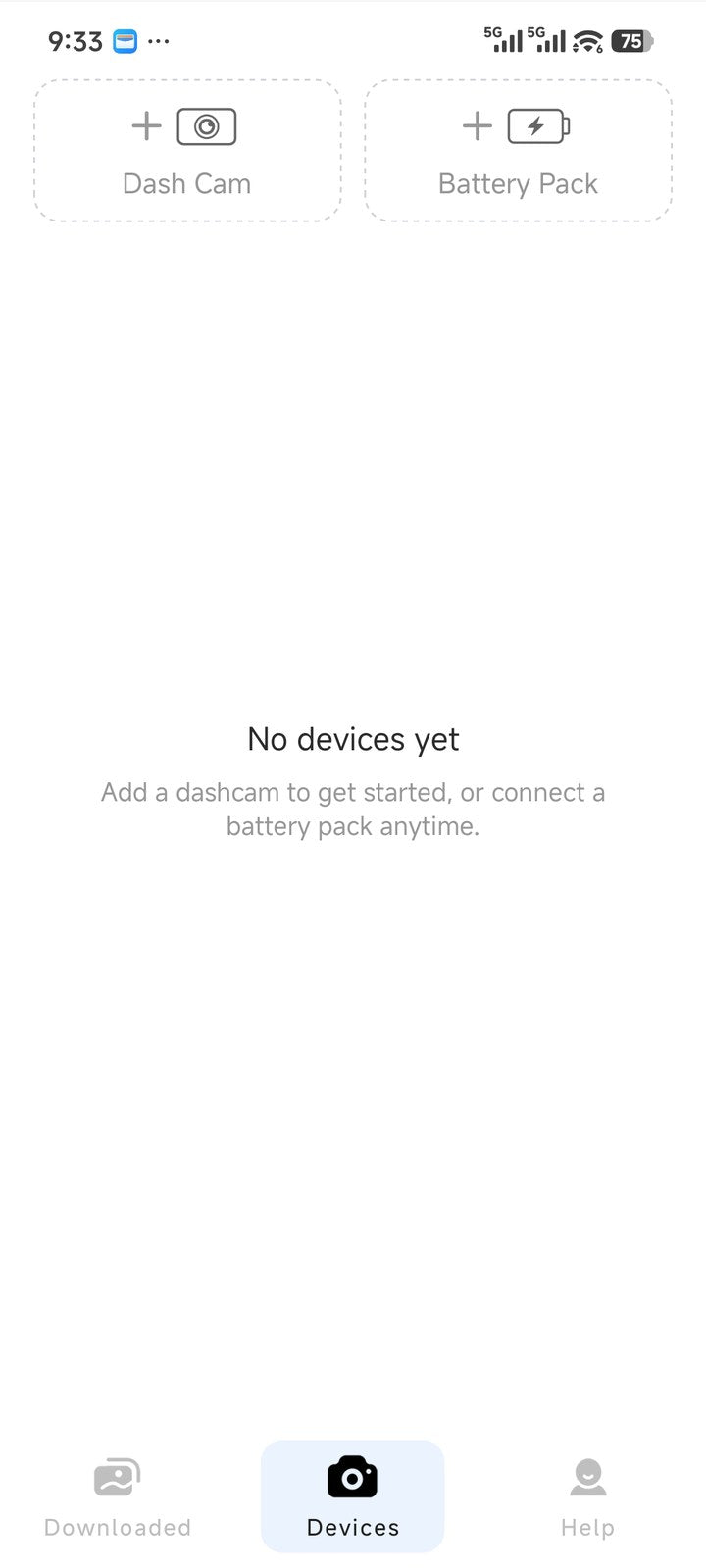
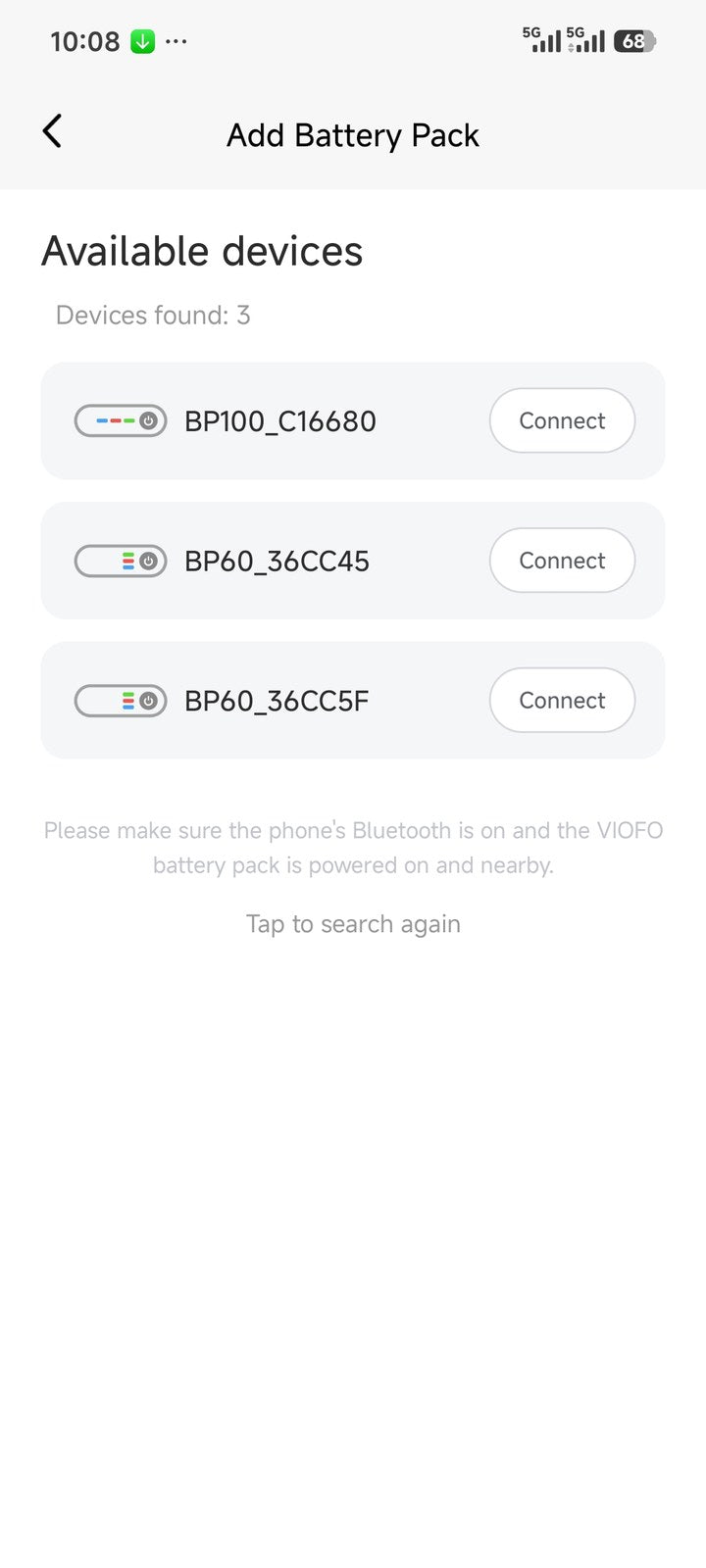
Devices tab in the VIOFO App Adding a battery pack in the VIOFO App

Devices tab, then + Battery Pack, then Connect.

Once connected, the app opens the battery pack dashboard. It shows the charge level, whether it’s charging or discharging, temperature, input and output readings, and estimated remaining runtime. While you’re driving, the same page shows charging progress and the estimated time to full.
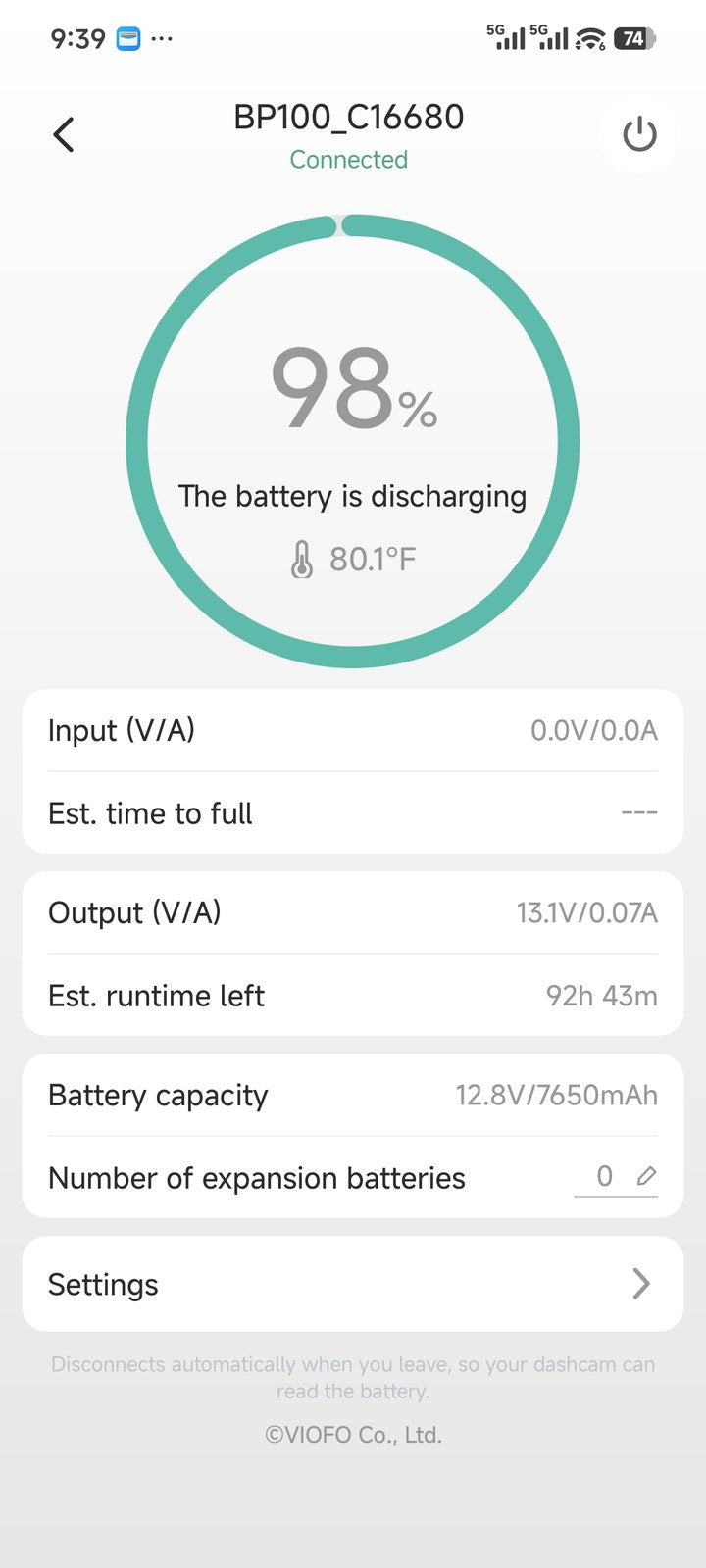
BP100 battery pack dashboard in the VIOFO App

The battery pack dashboard: charge level, status, temperature and estimated runtime.

Was the battery pack paired to another phone before?

If it’s still linked to an old phone (say you’ve got a new phone, bought the unit second-hand, or moved over from the older VIOFO Battery app), either of these will release it:

  • With the old phone: open the battery pack’s Settings, tap Unbind Device, then connect from the new phone.
  • Without the old phone: press the battery pack’s power button five times in quick succession. This resets the pairing so any phone can connect.
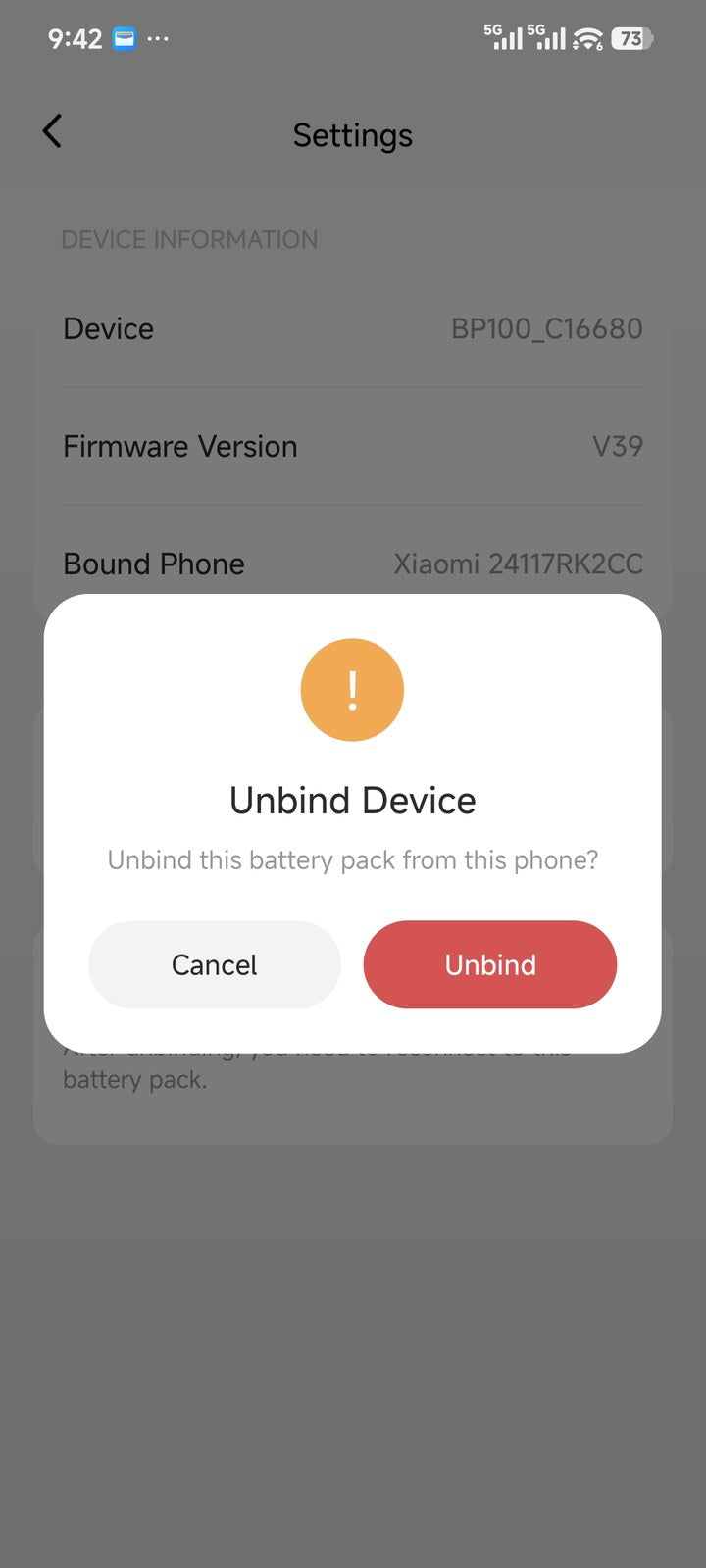
Unbind Device option in the battery pack settings

Step 2: link the battery pack to the dash cam

This step is easy to miss, but it unlocks the most useful features. In the battery pack’s Settings, find Bound Dashcam:

  • If you have one VIOFO dash cam, the app links them automatically and its name will already be shown.
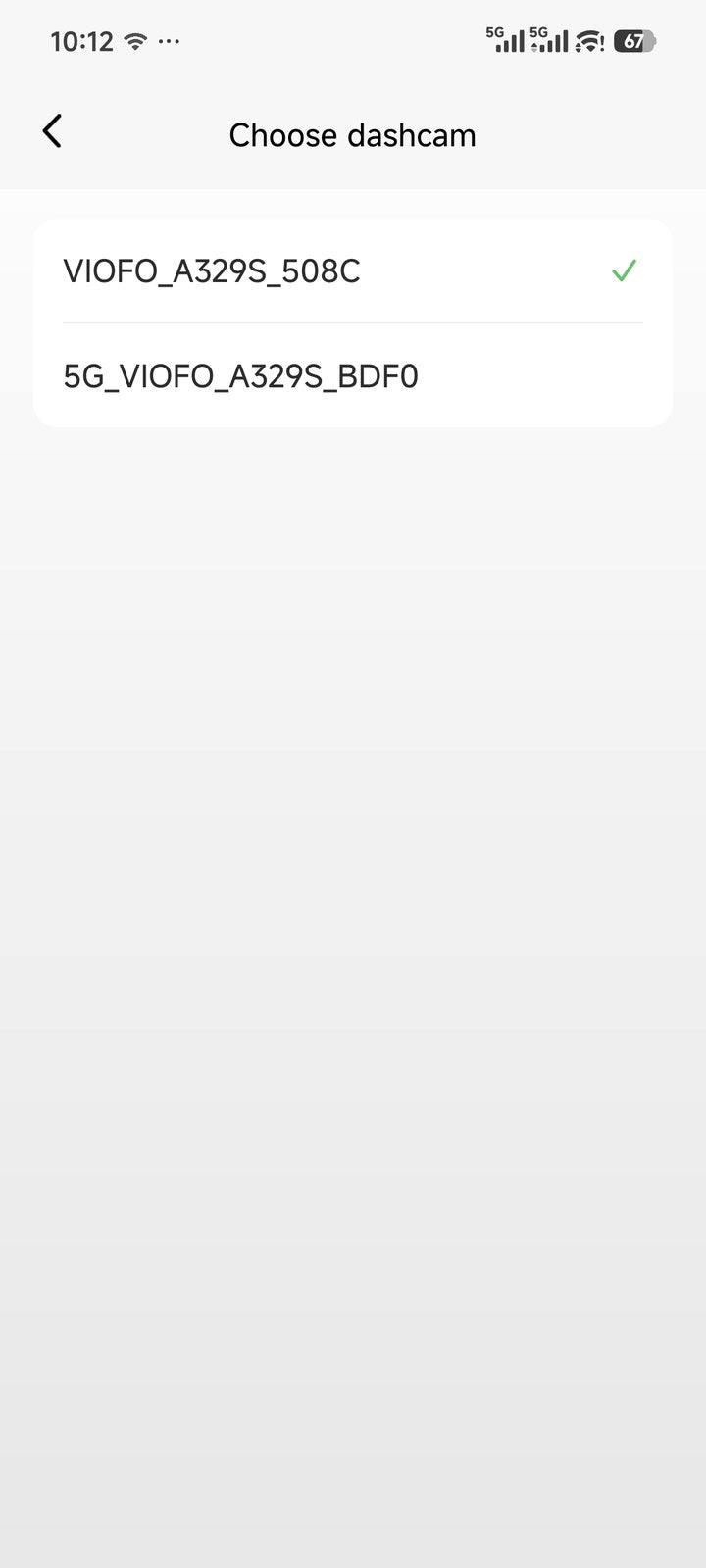
  • If you have more than one, tap the entry and pick the dash cam you want to link.
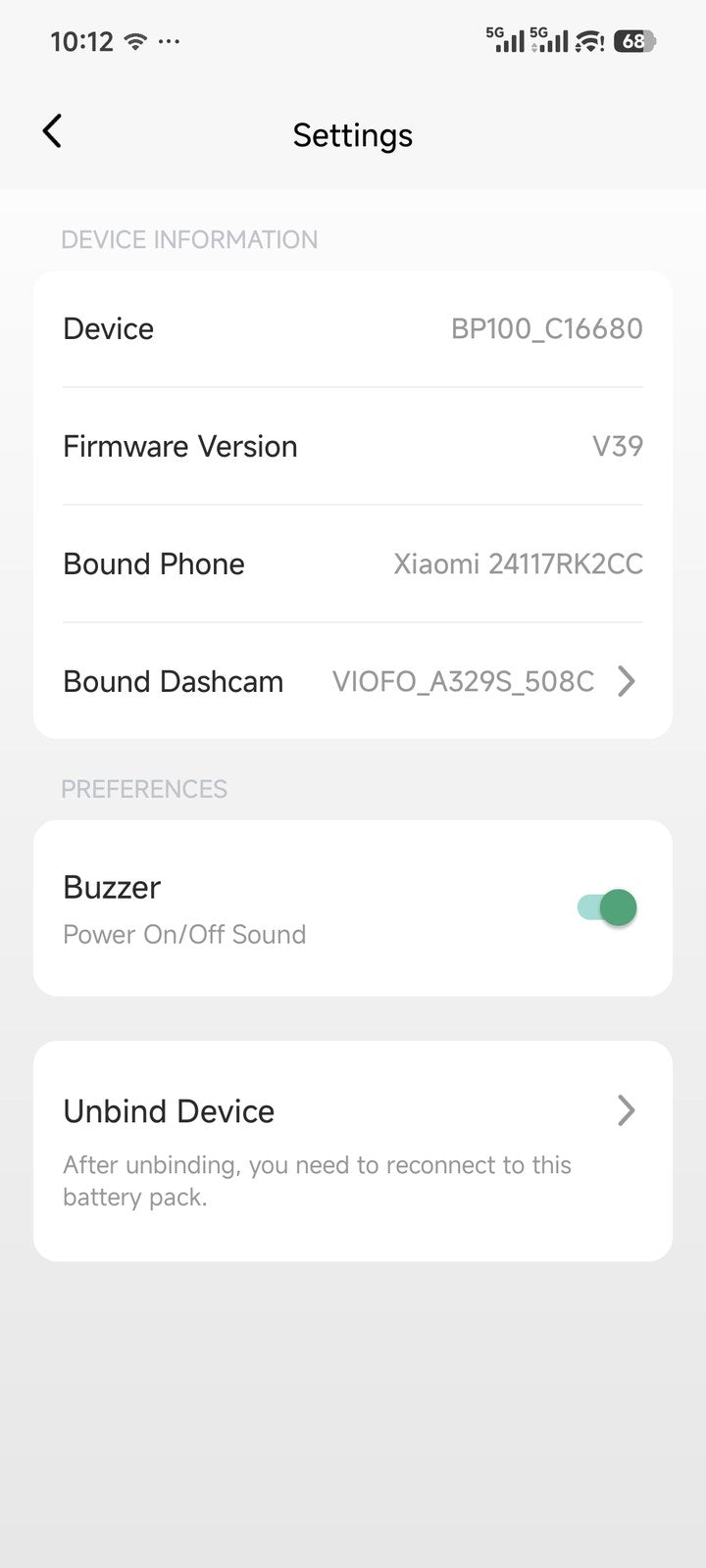
Bound Dashcam setting in the battery pack settings Choosing which dash cam to link

Once linked, the dash cam reads the battery pack’s charge level wirelessly and shows a confirmation on its own screen.
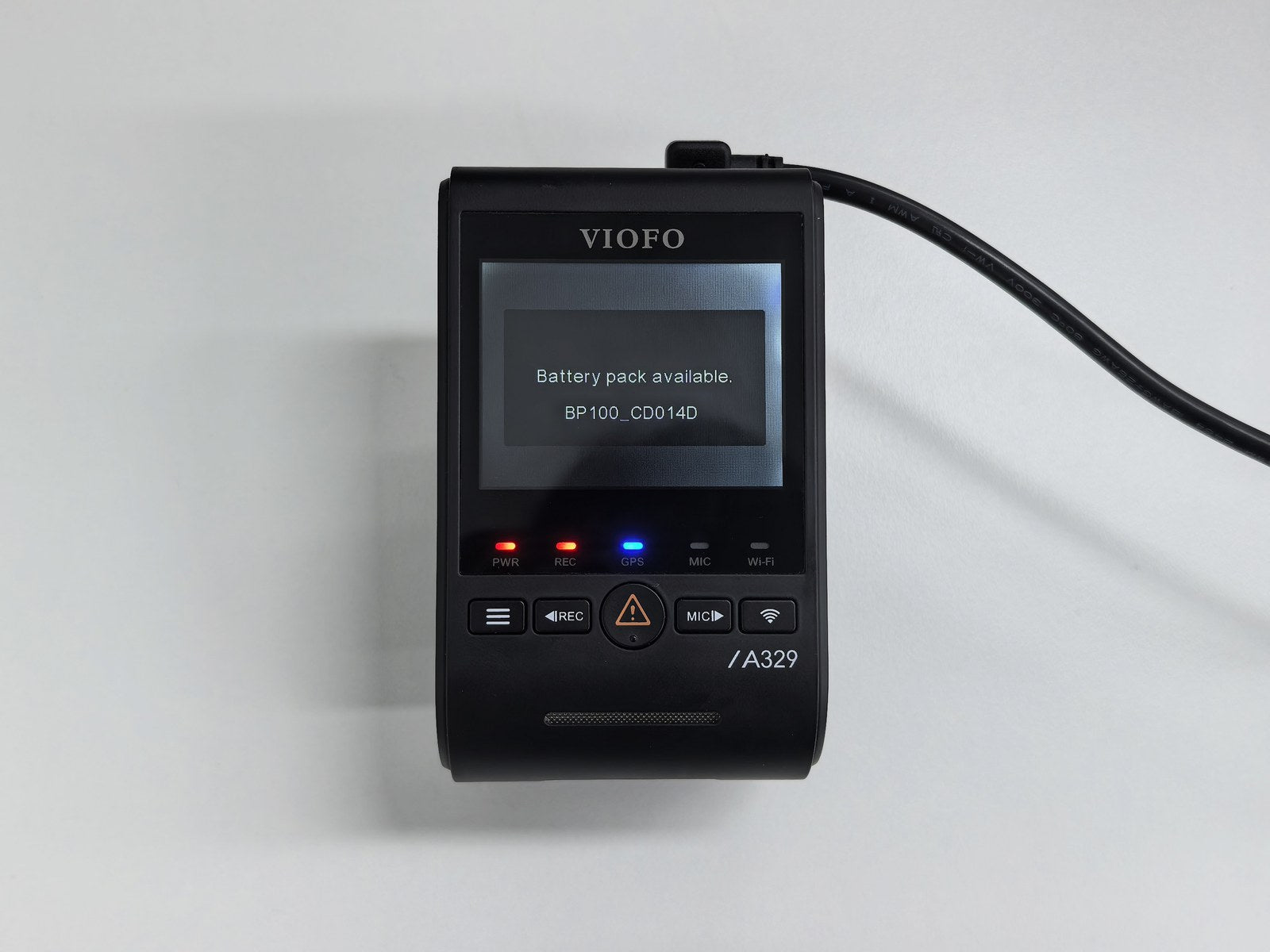
A329S showing Battery pack available

The dash cam confirms the link: Battery pack available.

BP100 or HK6: choose one, not both

The BP100 and HK6 do the same job, powering parking mode, in two different ways, and they’re designed to be used separately:

  • BP100 battery pack: charges quickly from the car while you drive, then runs the dash cam from its own capacity while parked, so your car battery is never drained. It comes with its own parking mode output cable, so no hardwire kit is needed.
  • HK6 hardwire kit: powers the dash cam directly from the car battery via the fuse box, with low-voltage protection (Cut-off Voltage) that stops recording before the battery gets too low to start the engine.

Fuse box to BP100 to dash cam, or fuse box to HK6 to dash cam.

The app shows whichever option you’ve fitted: the battery pack level with the BP100, or the car’s voltage with the HK6. If you’re using the BP100, Steps 1 and 2 complete your set-up. If you’re using the HK6, carry on to Step 3.

Step 3: if you use the HK6 hardwire kit (no pairing needed)

With the HK6 there’s nothing to pair. As soon as it’s installed and powering the dash cam, the camera detects it and shows Discovered the Hardwire Cable along with the cable’s identifier.
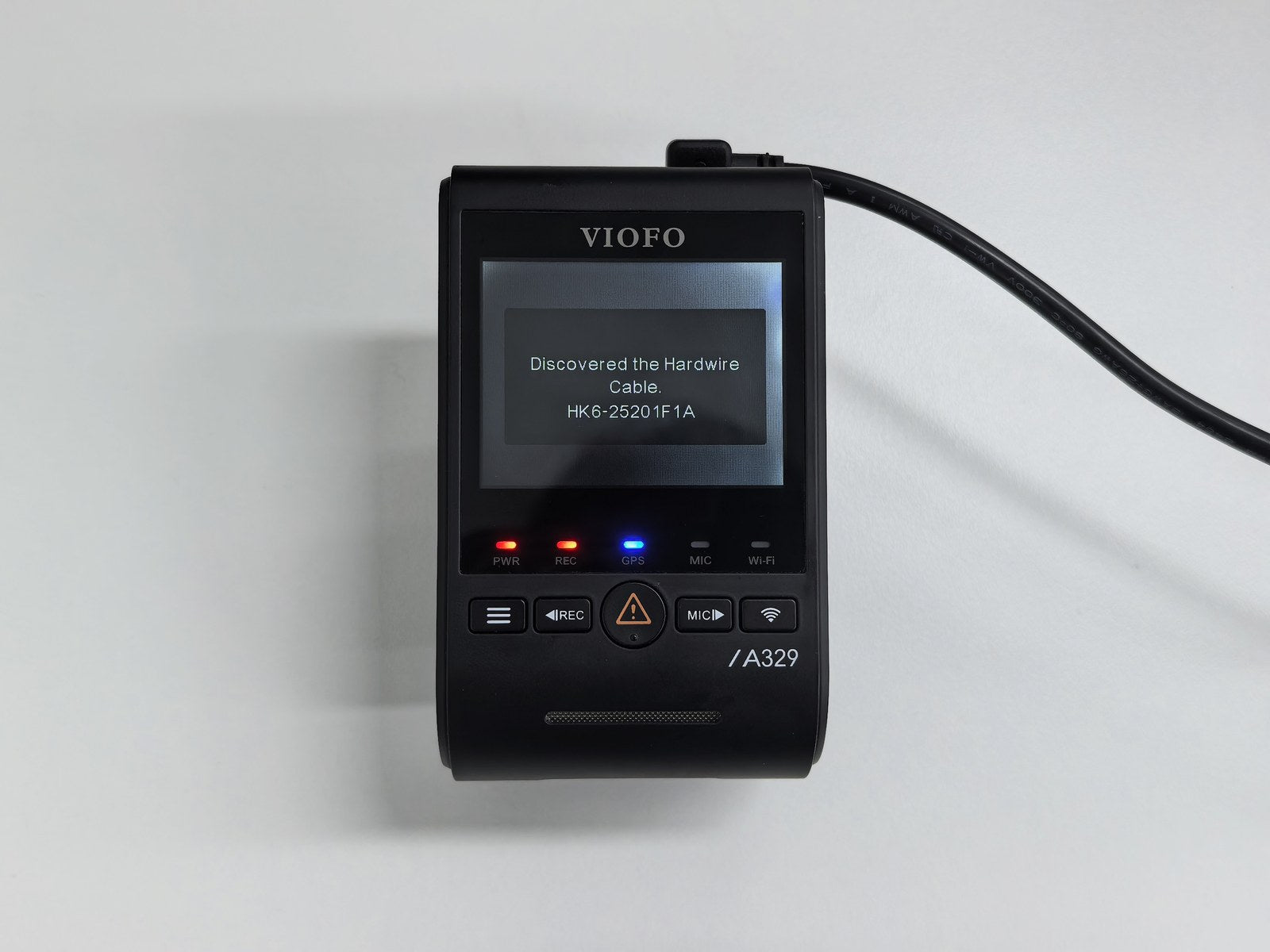
A329S detecting the HK6 hardwire cable

To show your car battery voltage on the app home screen, open the Help tab in the app and switch on Show Voltage Value.
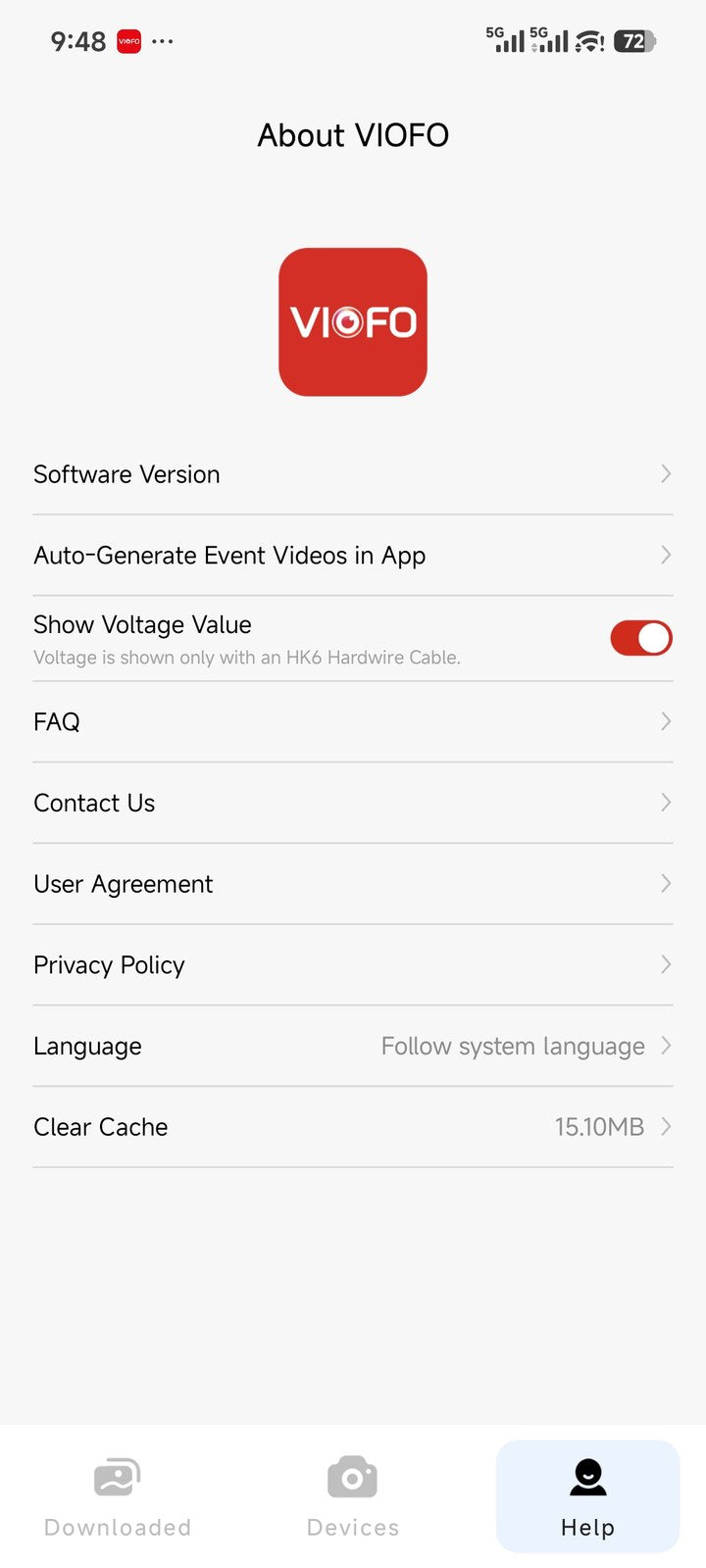
Show Voltage Value toggle in the VIOFO App

What you get

With everything connected, the VIOFO App home screen shows the relevant reading in real time (battery pack level with the BP100, or car voltage with the HK6) whenever your phone is within Bluetooth range of the car. The dash cam doesn’t need to be switched on, and you don’t need Wi-Fi.

Battery level stamp on recordings

Once the battery pack is linked, you can turn on the Battery Pack Capacity stamp in the camera’s recording settings. Every clip then shows the battery pack level at the time of recording, which is handy when looking back at a parking incident.

Battery Pack Capacity stamp on dash cam footage

Vehicle Battery Protection: three cut-off options

The camera menu now has three options under Vehicle Battery Protection, each protecting something different:
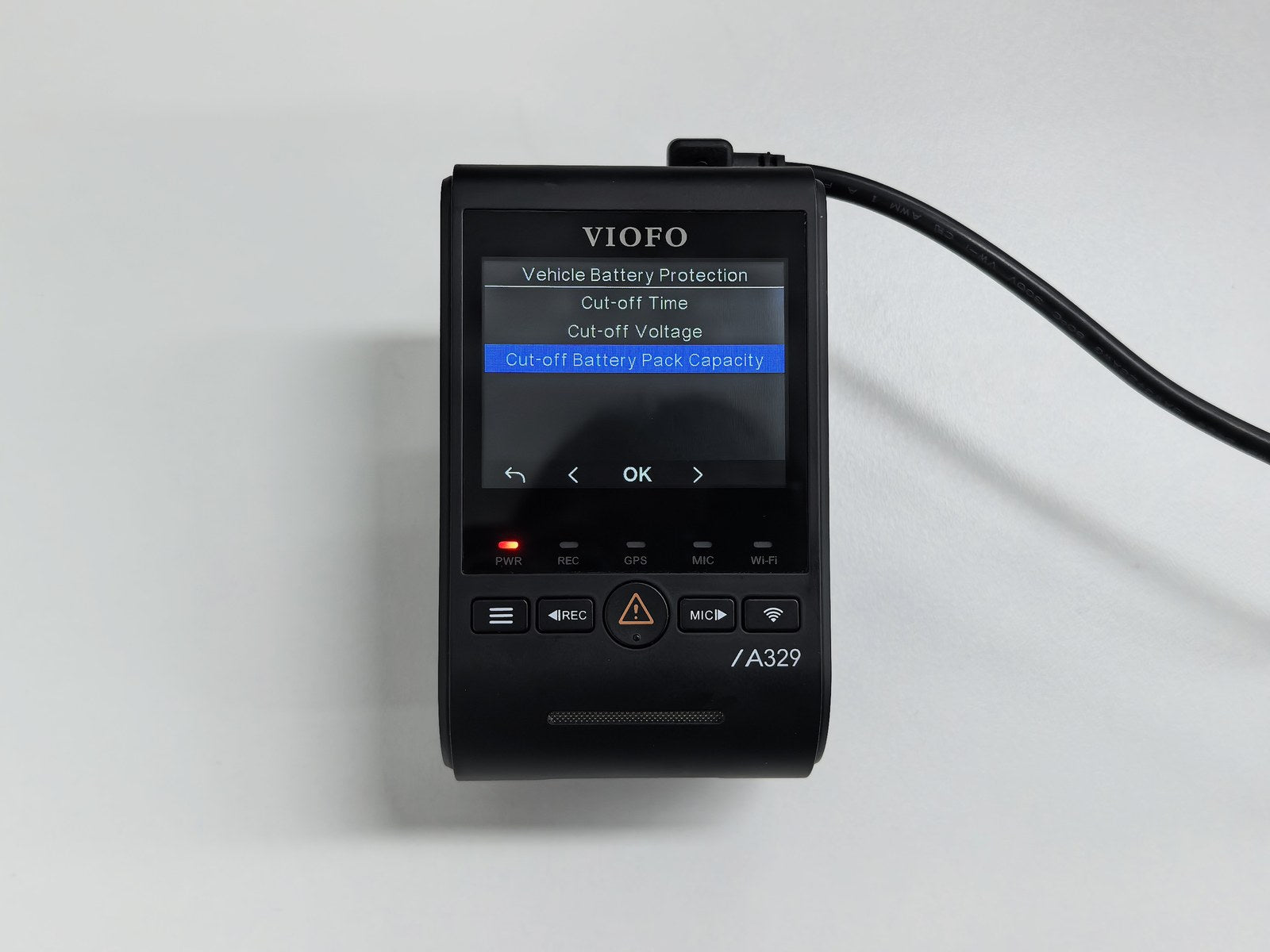
Vehicle Battery Protection menu on the A329S

  • Cut-off Time: ends parking recording after a set time.
  • Cut-off Voltage: for hardwired installs, stops recording before the car battery drops below a safe starting level.
  • Cut-off Battery Pack Capacity (new): choose a reserve level (5% to 15%) and the dash cam drops into low-power mode when the battery pack reaches it, rather than draining it completely. The reserve keeps impact detection running, so a knock can still wake the camera and trigger a recording.
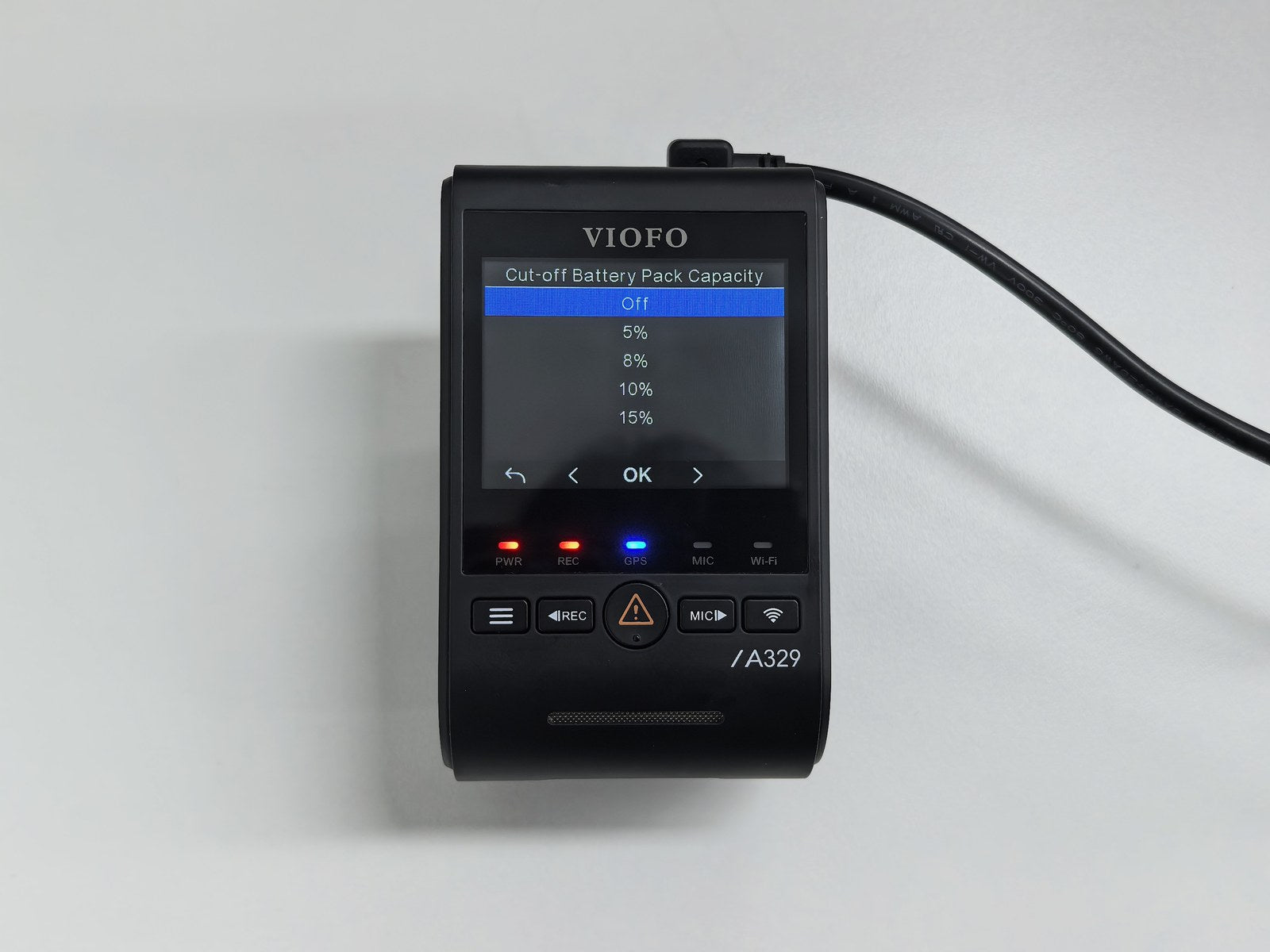
Cut-off Battery Pack Capacity options

Reserve levels: Off, 5%, 8%, 10% or 15%.

FAQs

Does the dash cam need to be on for the app to show battery level and voltage? No. The readings are sent via Bluetooth broadcasts and stay visible while the dash cam is off.

I already use the BP100. Do I need the HK6 too? No. The BP100 has its own parking mode output cable and fully replaces the hardwire kit. They’re alternative solutions, and connecting the HK6 to the BP100’s output isn’t a supported set-up.

My new phone won’t connect to the battery pack. It’s still bound to your old phone. Unbind it from that phone, or press the battery pack’s power button five times to reset the pairing.

I can’t see Cut-off Battery Pack Capacity in the menu. Update the dash cam firmware (A329 series: V2.2 or later) and the battery pack firmware, then link the battery pack to the dash cam as in Step 2.

I have two cars, each with its own dash cam and battery pack. Will the readings get mixed up? No. Each battery pack is linked to its own dash cam, and every card in the app is labelled with its device name.

What’s the range? Standard Bluetooth range: around the car, and usually within a garage. Out of range, the home screen cards pause until your phone is nearby again.

Summary

Update the firmware, choose your parking mode power source (the BP100 battery pack or the HK6 hardwire kit) and follow the matching steps above. From then on, the VIOFO App gives you a live view of its status, the dash cam can stamp the battery pack level on every clip, and the cut-off options keep whichever battery powers your camera protected.

Find out more: BP100 battery pack, HK6 hardwire kit, A329S dash cam.

Find the right dashcam for your journey

Explore the VIOFO range or speak to our UK team for help choosing your camera and accessories.

Shop dashcams → Contact VIOFO UK →

30 Day Money Back Guarantee

Buy with
confidence

Fast Shipping to United Kingdom

Using Royal Mail Services

100% Warranty Guarantee

18 months, register for 24 months

Loved by our Customers

Excellent Trustpilot Rating
Viofo UK Logo
The UK's official VIOFO Retailer, specialising in premium dashcams and accessories. Expert advice, fast delivery and genuine products you can trust
Tel: 0330 223 3108
Email: info@viofouk.co.uk
Holme Road Offices, Holme Road, Yaxley
Cambridgeshire, United Kingdom, PE7 3NA

Shop Dashcams

  • All Dashcams
  • 4k Dashcams
  • Front-Only Dashcams
  • 2 Camera Dashcams
  • 3 Camera Dashcams
  • 4 Camera Dashcams
  • Motorcycle Dashcams

Shop Accessories

  • All Accessories
  • Memory Cards
  • Hardwire/Parking Kits
  • Fuse Taps
  • GPS Modules
  • General Accessories
  • Microphones
  • Mounts & Adhesives

Company

  • Why Choose Viofo UK?
  • News
  • Dashcam Installers
  • Contact Us

Terms

  • Delivery
  • Klana Payments
  • Warranty & Returns
  • Privacy Policy
  • Cookie Policy
  • Terms & Conditions

Support

  • Manage Account
  • FAQs
  • Submit a Support Ticket
  • Firmware & Manuals
  • Download VIOFO App
  • Product Registration
  • Dashcam Buying Guide

Copyright © 2026 VIOFO UK. All rights reserved

Apply to be listed

VIOFO UK Dashcam Installers Network
[wpdreams_ajaxsearchpro id=2]
Find your ideal Dashcam
Viofo UK Logo
Answer a few questions and we'll show recommendations tailored to you

Your Cart 0

Your cart is empty

Continue shopping

Subtotal £0.00
Discount
Shipping
VAT £0.00
Total £0.00
Proceed to Checkout View Cart