No products in the basket.
VIOFO BP100 Battery Pack: Your Questions Answered
28 February 2026
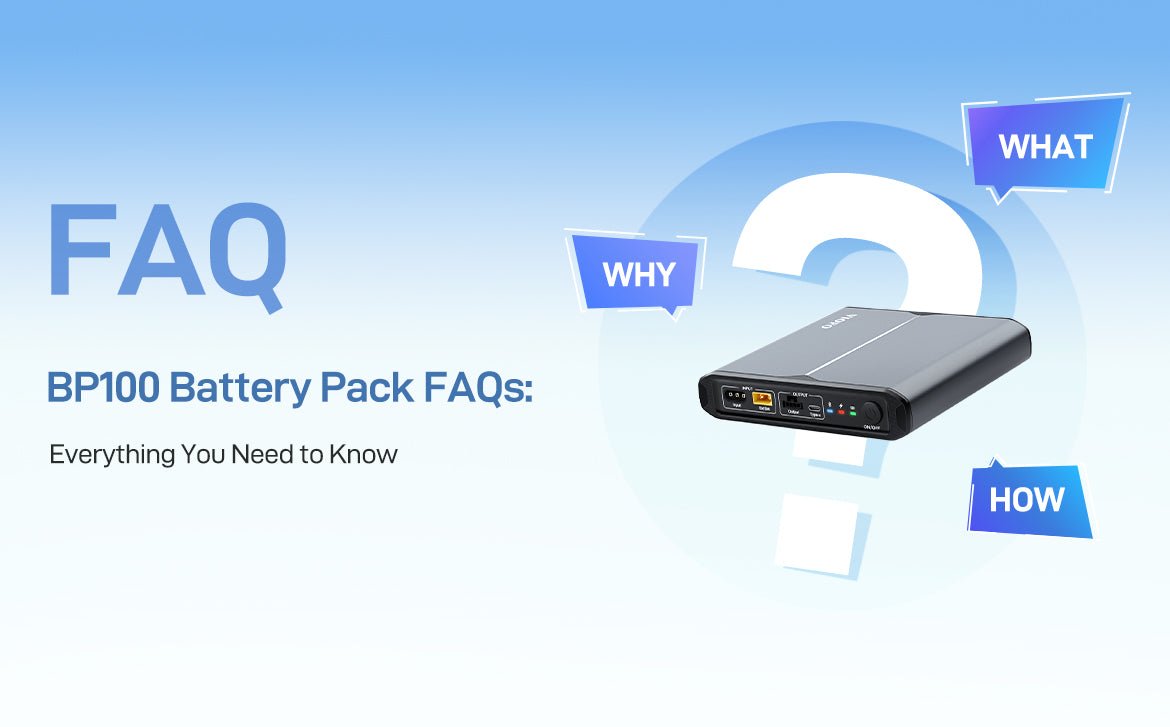
The VIOFO BP100 battery pack gives your dash cam its own dependable power supply, which is ideal if you want longer parking mode recording without leaning on your car’s battery. To help you get the most from it, we’ve pulled together answers to the questions we get asked most about setting it up, using it and sorting out niggles.
1. I can’t find BP100_XXXX in my Bluetooth list. What should I do?
If the BP100 doesn’t show up on your phone, run through these checks:
Switch the battery pack on first
The Bluetooth module only wakes up once the BP100 is powered on.
Check the distance
Keep your phone within about 10 metres of the battery pack for a stable signal.
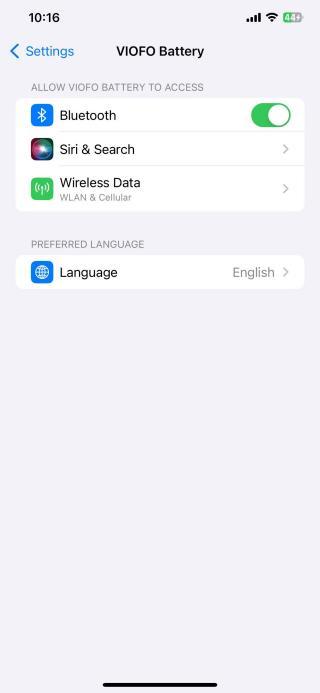
Allow Bluetooth permissions
In your phone’s settings, find the VIOFO battery app and make sure Bluetooth permission is switched on.
Refresh Bluetooth
If Bluetooth is already on but the device isn’t listed, turn Bluetooth off and back on again to refresh the list.
2. What do the Low Voltage and High Temperature pop-ups mean?
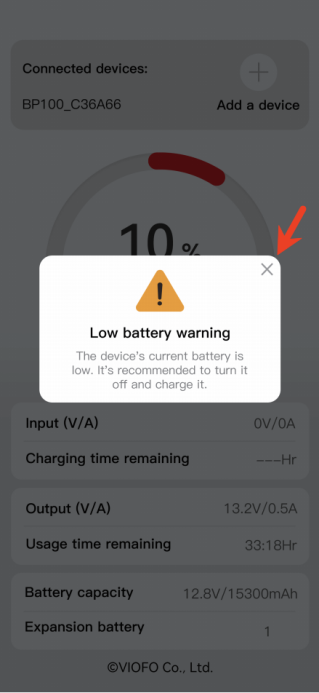
Low Voltage alert
- A low voltage pop-up appears when the battery level drops to 10%.
- You can ignore it or close it by tapping the X in the top-right corner.
- The BP100 does not shut down at 10%.
- It only powers off automatically when fully discharged (0%).
High Temperature alert
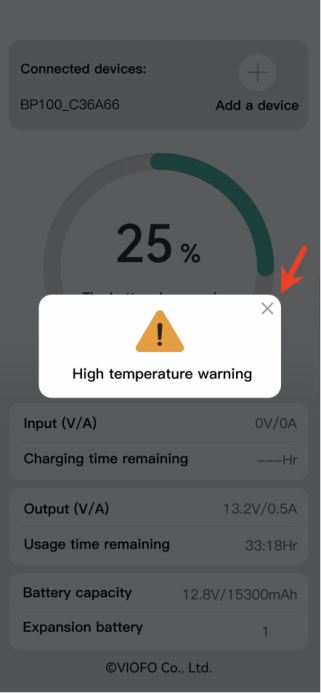
- A high temperature pop-up appears when the battery reaches 50°C while charging or discharging.
- You can ignore it or close it by tapping the X.
- The battery won’t shut down straight away.
- It only shuts down automatically above 70°C, to protect itself.
3. Why isn’t parking mode working?
Parking mode needs the right cable and the right connection. Check the following:
Use the correct cable
Use one of the cables supplied in the BP100 box:
Hardwire Output Type-C Cable (4 m), or
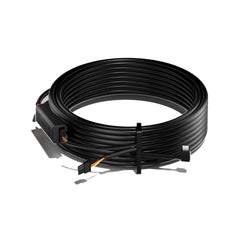
Hardwire Output Cable Adapter (2 m)
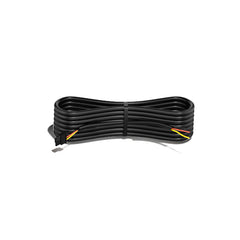
Check the wiring (adapter cable users)
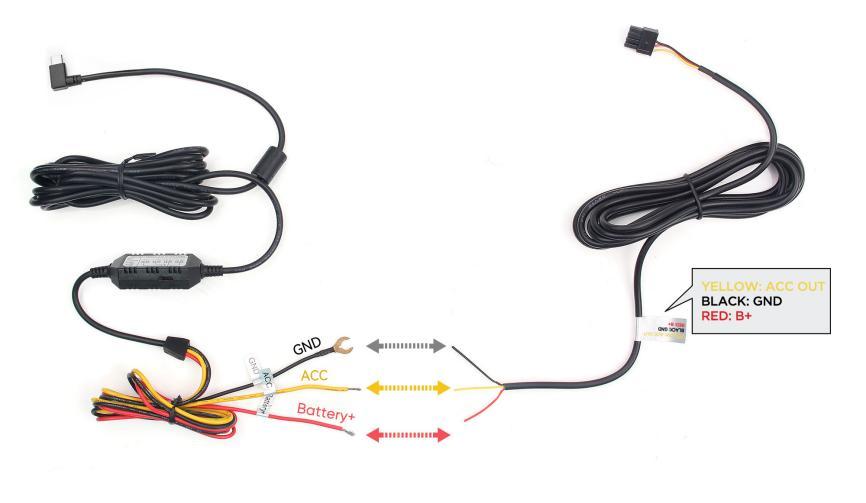
If you’re using the Hardwire Output Cable Adapter, make sure the colours match:
- Red wire to the red wire of the hardwire cable
- Yellow wire to the yellow wire of the hardwire cable
- Black wire to the black wire of the hardwire cable
Important connection note
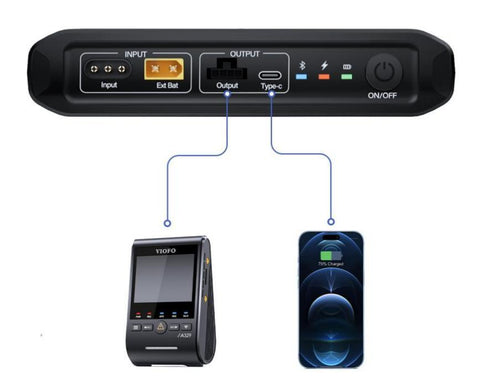
- The dash cam must be connected to the battery pack’s Output (Parking Mode Supported) port.
- The BP100’s Type-C port is for charging your phone only and does not support parking mode.
4. Why do I have to set the number of expansion batteries myself?
- With one expansion battery connected, the BP100 detects it automatically and sets the count to 1.
- With two or more connected in series, the system can’t work out the number on its own.
- In that case, set the number of expansion batteries manually in the battery app.
What if the number is set wrongly?
An incorrect setting means these readings will be inaccurate:
- Remaining charging time
- Remaining usage time
- Total battery capacity
- Battery percentage
5. I already have an HK4 or HK6 hardwire kit fitted. How do I install the BP100?
The BP100 comes with its own power cables (a hardwire kit isn’t included). If you already have an HK4 or HK6 installed, you’ll need to disconnect it from the car’s power supply first.
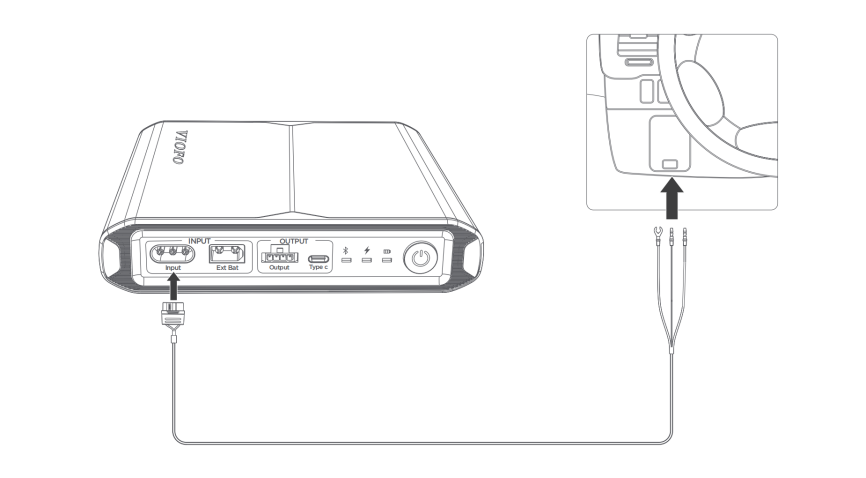
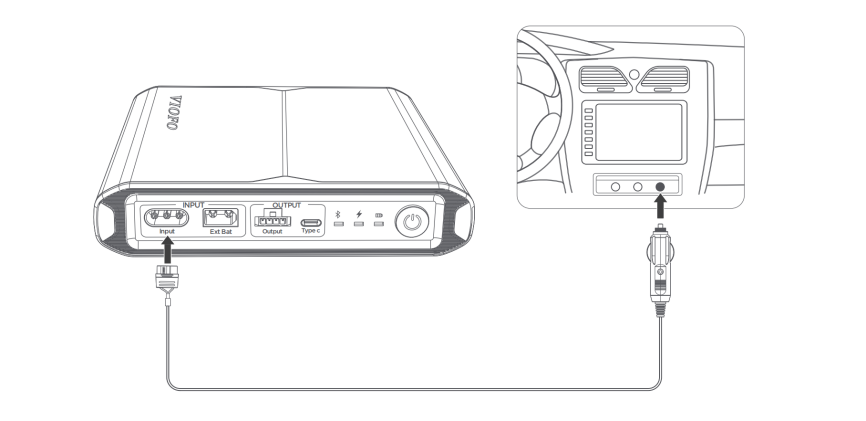
BP100 power input options (choose one)
1. Hardwiring Power Input Cable (3 m)
Connects directly to the car battery or fuse box. (Recommended)
2. Cigarette Lighter Plug Power Input Cable (2 m)
Plugs into the car’s 12V (cigarette lighter) socket.
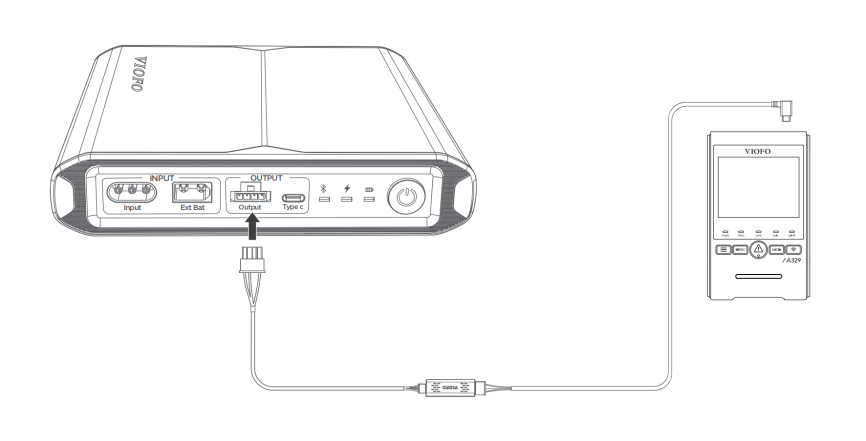
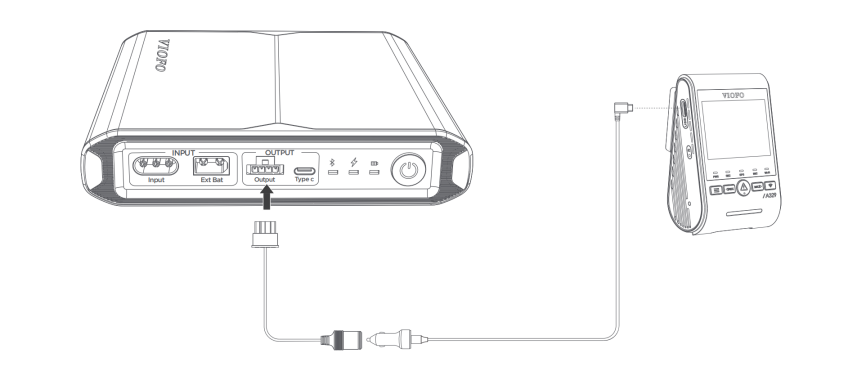
BP100 power output options
1. Hardwire Output Type-C Cable (4 m)
Connects directly to the dash cam’s GPS port. Parking mode supported. (Recommended)
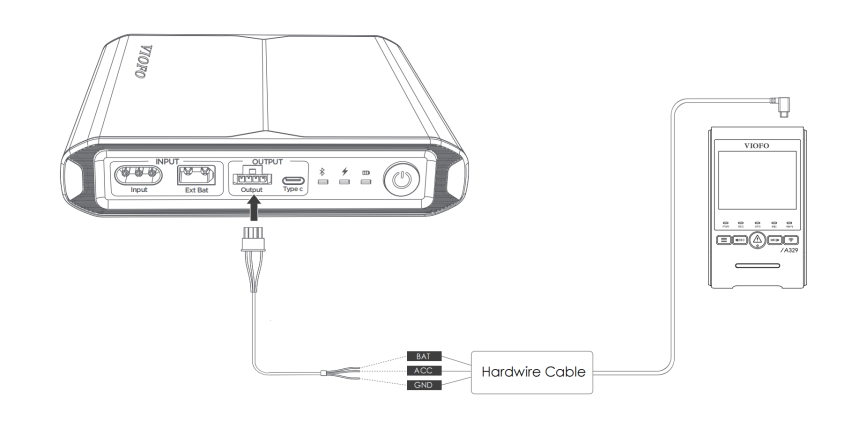
2. Hardwire Output Cable Adapter (2 m) + HK4/HK6
Parking mode supported.
3. Cigarette Lighter Output Cable (0.3 m)
Connects to the original car charger. Parking mode not supported.
6. What’s the difference between the BP100 and the EP100?
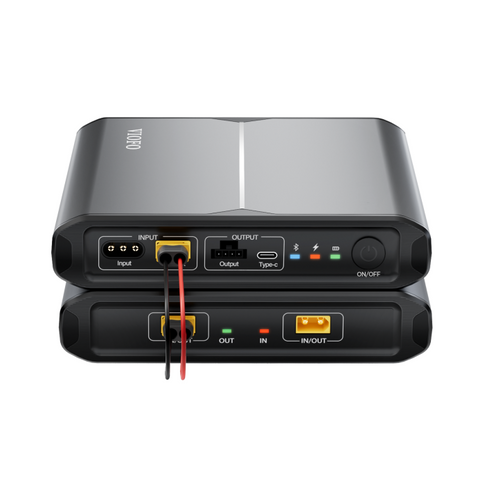
- BP100: a standalone rechargeable battery pack that powers your dash cam.
- EP100: an expansion battery that can’t work on its own. It must be connected to a BP100.
7. How many expansion batteries can I add to a BP100?
We recommend connecting no more than two expansion batteries to one BP100.
8. Do I still need a hardwire kit if I use the BP100?
No. A separate hardwire kit isn’t needed. The BP100 includes a Hardwire Output Type-C Cable (4 m) that fully supports parking mode.
Top tips
For the best performance and accurate battery readings, always:
- Use the correct ports and cables
- Set the right number of expansion batteries in the app
- Keep the battery within its recommended operating temperature
Still have a question? Get in touch with our team and we’ll be happy to help.